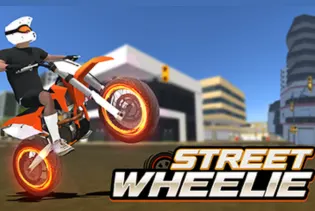
Wheelie Street

Related Games















Wheelie Street
- Racing
- Wheelie Street
Wheelie Street is a fun and challenging motorcycle stunt riding game that will test your balancing skills, reaction time, and overall riding proficiency. The basic aim of the game is to ride your motorbike on two wheels by balancing it only on the rear wheel while driving in various streets, where there are various hazards, obstacles, and other complicated segments. What makes this game especially appealing is that despite being very simple and intuitive, it is hard to master. It only takes one slight movement to unbalance your bike, so you have to be very precise when controlling your speed and angle.
As you play further, you can face even more complicated street segments that require even faster reaction and better control. You can make wheelies of bigger length, overcome more obstacles, score more points while trying to beat your previous results. It is always a great joy to successfully maintain a wheelie.
Wheelie Street is a perfect game for people who like simple arcade games, games with motorcycles, and skill games in particular. There are no complex controls here; you can start playing right away. Have some fun gaming experience with the Pako Highway. Although getting a good score requires more effort and skill development. Overall, this game is a great choice for both fast sessions and challenging missions.
Gameplay
To begin with, the game Wheelie Street seems quite easy. However, it becomes obvious soon that keeping the motorcycle balanced is not an easy task. From the very beginning of riding the bike, it is necessary to keep track of its position and ensure that it does not move either backwards or forwards. The longer a person manages to ride a wheelie on the motorcycle, the more exciting it is.
At first, the most difficult task was to find the right balance between the speed of moving and the stability of the position. Sometimes it happened that the bicycle fell backwards because of too much acceleration, and sometimes due to slowing down the front wheel touched the surface of the road. Therefore, depending on the street condition, the behavior of the motorcycle differed.
Nevertheless, over time, I could easily predict the behavior of the vehicle. You will also enjoy a game with adventurous gaming experience with the Moto Road Rash 3D. Passing the street section and overcoming different obstacles while keeping a wheelie seemed quite interesting, and the pleasure was even greater in case of beating my record.
Features
How To Play
In order to play Wheelie Street game, one should start by trying to ride on the motorcycle by keeping the front wheel of it above the surface. You will have to accelerate and then lift the front wheel with the help of the controls. Then, you will need to control the bike to prevent it from either moving down or going up. Pay special attention to the road as there will be obstacles that may influence the game in one way or another. Moreover, you will have to control the speed in addition to the tilt of the bike. You should also try one more game to experiment your action skills into the Adventure Drivers game. Therefore, it is necessary to be careful and not to speed up excessively while riding with the tilted back bike. Remember to react fast to all the changes in the road and its surface. The main task here is to perform the wheelie longer and longer each time.
Game Controls
Desktop Browser
Mobile Browser
Recommended platform
The reason why Wheelie Street is the best game on the desktop web browser is because you have the best control over speed and wheelie using the keyboard controls, and with a bigger screen, you will be able to estimate your obstacles easily and create the best wheelie. The mobile web browser can be used for shorter games.
More Game Like This
If you find yourself enjoying the balance, accuracy and difficult driving experience offered by Wheelie Street, there are a number of other games that would be perfect for you. In Drive Mad 2, you can enjoy fun car challenges, where you have to maneuver your car through hard tracks while facing some obstacles along the way. Drift Boss is another game which involves drifting around sharp corners in order to score well by using your reflexes and timing. In case you want to enjoy a completely new type of driving experience, you can try out Parking Fury 2, where you need to park vehicles at their appropriate positions by driving through crowded areas.
FAQ
Q1. What is Wheelie Street?
Ans: Wheelie Street is a bike trick game, in which your task is to move on difficult streets in such a way that the front wheel is not touching the ground.
Q2. How can I make a wheelie in Wheelie Street?
Ans: Increase the speed of the bike and adjust its angle to lift the front wheel. Correct the bike if necessary in order not to fall.
Q3. Is Wheelie Street easy to play?
Ans: The control in this game is pretty simple but to be able to skillfully manage the bike you need some training.

Recommended Categories











.webp)

Comments (0)