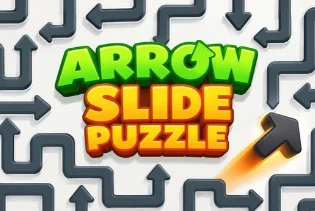
Arrow Slide Puzzle

Related Games















Arrow Slide Puzzle
- Puzzle
- Arrow Slide Puzzle
Introduction
Arrow Slide Puzzle is a logic game about moving arrow tiles on a puzzle board. The goal, movement rules, and win condition are shown in the game. Study the board before you act, since one move may affect which tiles you can move next.
Begin by reading the on-screen guide and checking the current level’s goal. Look at each arrow, the spaces around it, and any objects in its path. If a move does not work, use the game’s feedback to learn which rule stopped it. Then try a different move and keep working toward the required end state.
Gameplay
Move the arrow tiles according to the rules shown in the game. Before each move, check the arrow’s direction and its path. Another tile, the edge of the board, or a level rule may stop it.
Move order can matter. A tile that cannot move now may become available after you clear its path. Check the whole board again after each move instead of focusing on one area.
Follow the goal shown for the current level. The available rules and tools may vary, so rely on the instructions and buttons that appear in the game.
Controls
Follow the on-screen control guide to select and move tiles.
Use only the buttons shown in the game interface.
Tips & Tricks
- Read the level goal before making your first move.
- Scan the full board and find which arrows can move.
- Check whether one tile is blocking another.
- Think about what each move will open or close.
- Look over the board again after every move.
- If you become stuck, use an available undo or restart button.
FAQ
What is the goal of Arrow Slide Puzzle?
Ans: Move the arrow tiles according to the game’s rules and reach the end state shown for the level.
Why will an arrow not move?
Ans: Another tile, the board edge, or a level rule may block it. Check its direction and path, then see if a different tile must move first.
How do I know which moves are allowed?
Ans: Read the on-screen guide and watch the game’s visual feedback. It will show how tiles move in the current version.
What should I do if I get stuck?
Ans: Review the board for a different move. If the game shows an undo or restart button, you can use it to try again.

Recommended Categories



.png)
.webp)



.webp)

Comments (0)